Quotations and branded PDFs
Preparing authorised quotations with live totals, fixed 30-day validity, and A4 PDF download
Quotations and branded PDFs
The Quotations section lets authorised franchise staff prepare an official, own-account quotation and download a branded A4 PDF for a customer.
Important: Creating a quotation never activates licences and never creates a Chrilan charge. Licences are only activated once paid and confirmed.
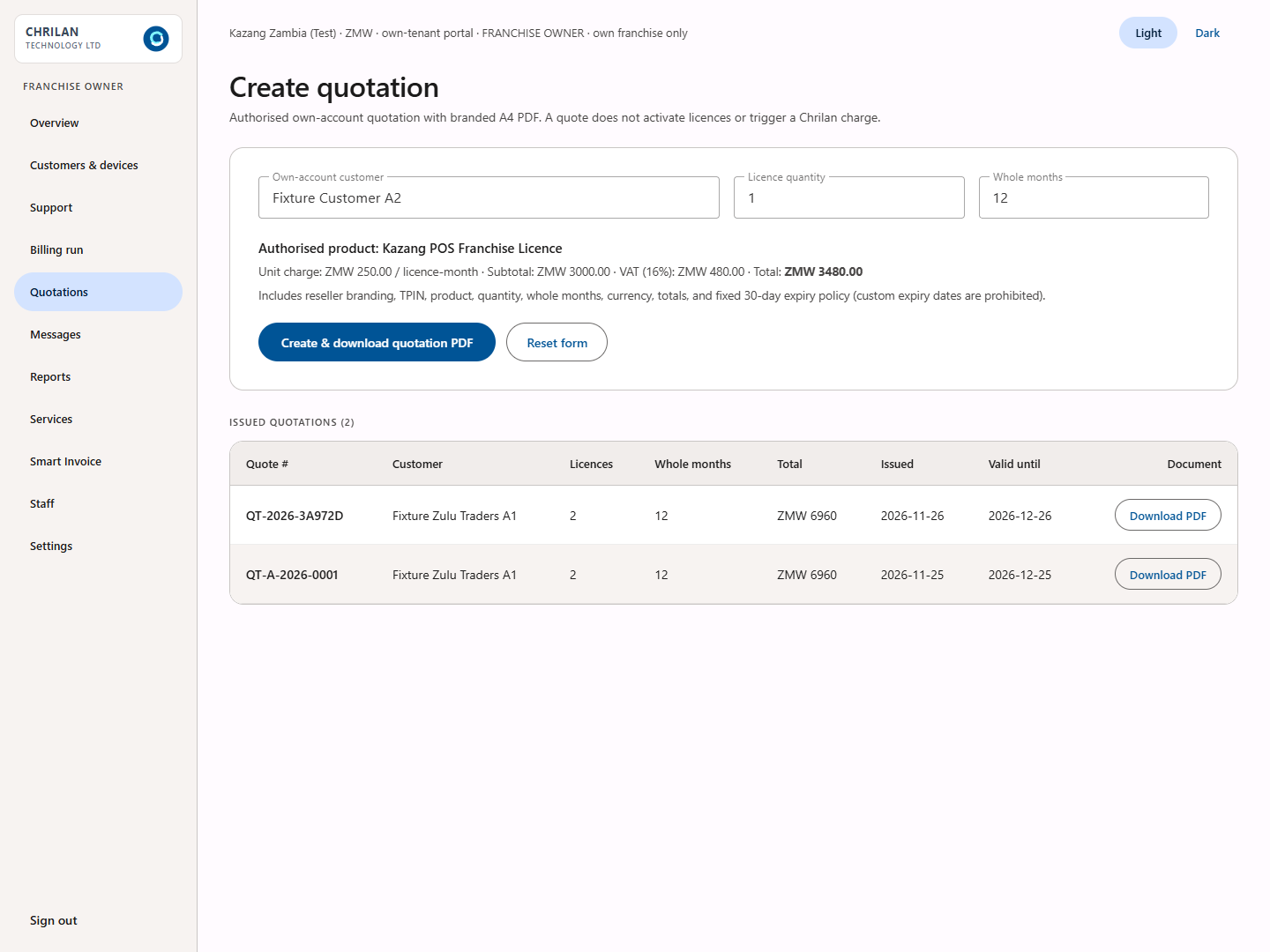
The Quotations screen in V2. Example synthetic data only.
Creating a quotation
- Open Quotations from the left sidebar (or click Create quotation from the Overview page).
- Select the Own-account customer from your franchise's customer list.
- Enter the Licence quantity (number of devices/licences being quoted).
- Enter Whole months (licences are quoted and billed in whole months only; no partial-month pro-rating).
- Review the live calculation:
- Unit charge in your franchise's local currency (for example
ZMWorBWP) - Subtotal, VAT, and Total - Click Create & download quotation PDF.
Fixed 30-day validity policy
Every quotation issued by the platform carries a fixed 30-day validity window calculated automatically from the issue date. Custom expiry dates are prohibited so every customer receives consistent commercial terms.
What the branded A4 PDF includes
- Reseller / franchise branding and account details
- Customer name, account reference, and TPIN
- Authorised product name, licence quantity, and whole months
- Currency, unit price, subtotal, VAT, and total amount
- Issue date and fixed 30-day expiry date
Re-downloading an issued quotation
All quotations issued within your franchise appear in the Issued quotations table below the form. Click Download PDF on any row to regenerate and download the branded A4 PDF at any time.